How to Use Superconducting Hub
Last updated: 12 March, 2026
Overview
The Superconducting Hub is designed to be an intuitive and user-friendly companion app for in-person Netrunner play. This guide will walk you through the basic features of the app and how to use them during your games.
That being said, considering the complexity of Netrunner, there is bound to be things that are not immediately obvious.
General Rule
I wrote Superconducting Hub to work the way my brain does. I like to tap and swipe stuff.
If you are unsure how something works, try tapping it, then swiping it, and then pressing and holding it.
Setting up a New Game
Open up the app, and swipe the top or bottom of the screen from side to side. This opens up the menu for the near or far user.
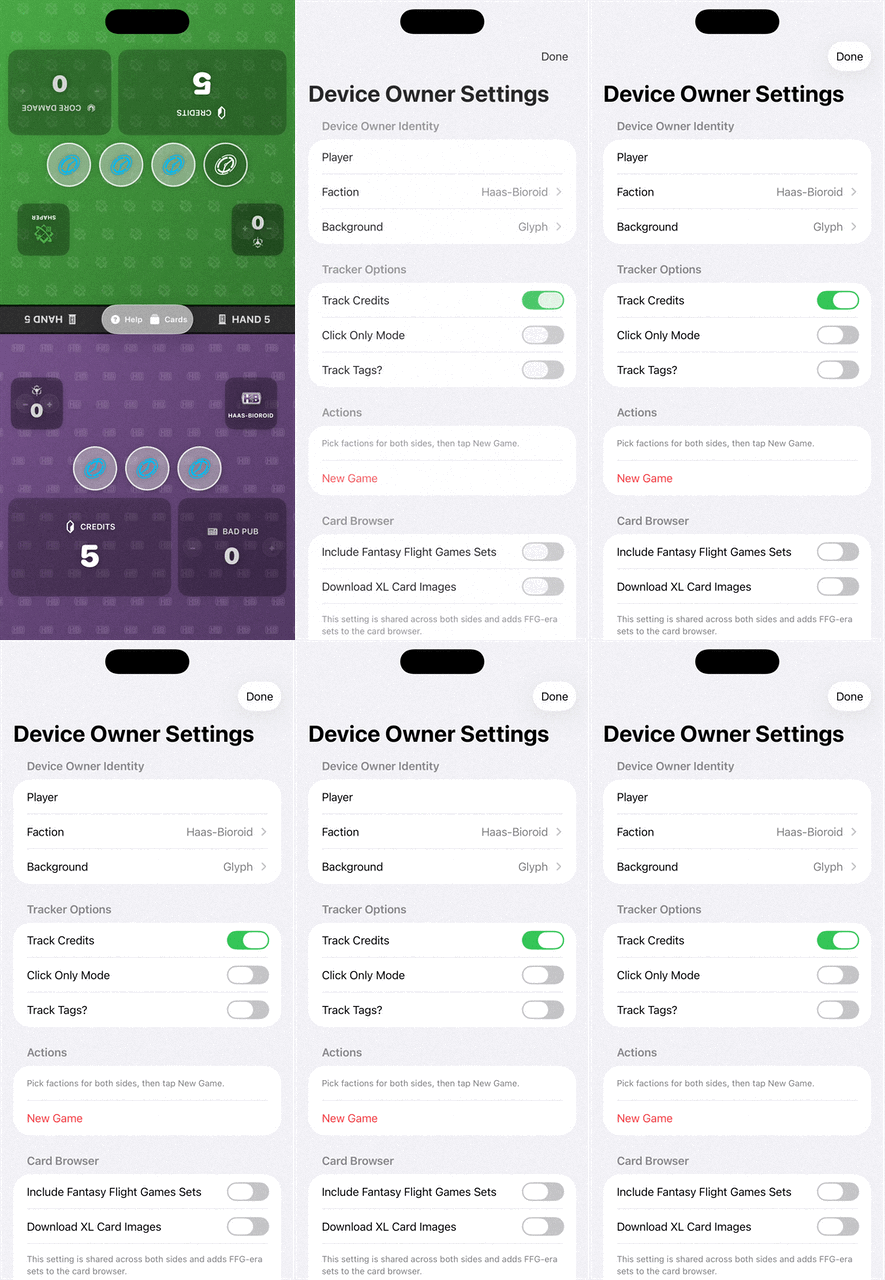
From that menu, you are able to select if you want to play with just a click tracker, or the full experience, and some options specific to your identity or deck. You can also set your background art, and turn on options for the runner. Yes, even the corporation player has options in the menu to modify the runner's display!
Once both players have set up their sides, either one can hit the Start Game button to start the game, corporation player first.
Spending Clicks
During the game, you tap in the general area of the click icons to spend a click. Tap and hold for a popup menu that allows you to add and remove clicks on the go.
Gaining or Spending Lots of Credits
To gain or spend up to 20 credits at a time, tap and hold the + or - side of the credit tracker. After about a second, a small window will pop up near your finger, and you can move your finger up and down fine tune the number showing in the window. One second after you remove your finger, the number will get added to or subtracted from the total number of credits in your account.
Why does the Corp have the slider that decides if the Runner tracks tags?
The Corporation player's deck is the one with the highest percentage of the cards that give the Runner tags, so I left it up to the Corp player. In general, if your deck doesn't have a lot of tags, keep this off. If you are in a tournament, and want to keep them guessing, leave it on!